Your Cart
×
A guide to choosing the optimal file formats (DXF, SVG, PDF) for selling your laser cutting projects with quality, compatibility, and customer satisfaction in mind.
At the heart of digital design for leather goods, or any product, lies a fundamental choice between two types of image files: vector and raster. Understanding their core difference is crucial for achieving high-quality results. Raster images, also known as bitmaps, are composed of a finite grid of tiny colored squares called pixels. Every photograph you take with a digital camera or smartphone is a raster image. Common formats include JPEG, PNG, TIFF, and GIF. The quality of a raster image is determined by its resolution, measured in pixels per inch (PPI). When you enlarge a raster image beyond its intended size, the software has to invent new pixel data, resulting in a blurry, blocky, or pixelated appearance.
Vector images, in contrast, are not made of pixels. They are defined by mathematical equations that create points, lines, curves, and shapes (or paths). This mathematical foundation means vectors are resolution-independent. You can scale a vector graphic to the size of a postage stamp or a billboard without any loss of clarity, sharpness, or detail. Common vector formats include SVG, AI (Adobe Illustrator), EPS, and PDF (when created from vector sources). This scalability makes vector graphics the undisputed choice for logos, typography, and intricate illustrations that must remain crisp at any size.
Choosing the correct file type directly impacts the efficiency and quality of your leather design process. Each format has a specific purpose.
Use Raster Files For:
Use Vector Files For:
Many issues in leather product development stem from using the wrong file type. Being aware of these common pitfalls can save time, money, and frustration.
Mistake 1: Submitting a Raster Logo for Production. A client might send a small PNG or JPEG of their logo to be embossed on a leather journal. When the manufacturer enlarges the low-resolution image to fit the cover, it becomes pixelated and unusable. Prevention: Always request the original vector file (AI, EPS, or SVG) from your designer or client.
Mistake 2: Assuming a PDF is Always a Vector File. PDFs are containers that can hold both raster and vector data. A PDF created by scanning a hand-drawn sketch is a raster image. A PDF exported from Adobe Illustrator can be a vector file. Prevention: Zoom in extremely close (800% or more) on the PDF. If the edges remain smooth, it's likely vector. If they become pixelated, it's a raster image saved in a PDF.
Mistake 3: Using Low-Resolution Raster Images for Mock-ups. Placing a small, web-optimized JPEG onto a leather bag mock-up can make the final presentation look unprofessional and cheap due to blurriness. Prevention: For realistic mock-ups, always use high-resolution, high-PPI raster images (300 PPI is standard for print).
It is sometimes necessary to convert files from one format to another, but it's vital to understand the limitations.
Converting Vector to Raster (Rasterizing): This process is straightforward and lossy. You are essentially taking the mathematical paths and "flattening" them into a grid of pixels at a specific resolution. This is what happens when you export an AI file as a JPEG. It's a one-way street; you cannot regain the vector data from the JPEG alone.
Converting Raster to Vector (Tracing): Converting a pixel-based image into a vector graphic is possible through a process called "image tracing" or "vectorization." Software like Adobe Illustrator can analyze the colors and shapes in a raster image and create vector paths around them. However, this is an interpretive process and rarely perfect. Simple logos with solid colors trace well, but complex photographs become simplified and often lose their realistic detail. Manual cleanup by a graphic designer is usually required for a professional result.
In the world of leather design, both vector and raster files are indispensable tools, each serving a distinct purpose. Raster files are the masters of realism, capturing the rich detail and texture of photographs. Vector files are the champions of precision and scalability, essential for logos, tooling designs, and production patterns. The key to professional results is knowing which tool to use for each specific task. By understanding the fundamental differences and applying this knowledge to your workflow, you can ensure that your leather products are represented beautifully in marketing materials and produced with the highest level of craftsmanship.
In the world of digital design and manufacturing, a DXF file is a foundational element. Standing for Drawing Exchange Format, DXF is a CAD (Computer-Aided Design) data file format developed by Autodesk as an interoperability solution. Its primary purpose is to enable data interchange between AutoCAD and other programs. Think of it as a universal translator for design information. Unlike proprietary file formats that are tied to specific software, DXF is an open standard, meaning its specifications are publicly available. This allows different software applications, from high-end CAD programs to more accessible laser cutting software, to reliably read and write these files. Essentially, a DXF file contains vector information—lines, arcs, circles, and text—that defines the precise geometry of a design in two dimensions. This makes it incredibly valuable for industries that rely on precise cutting, etching, or machining, such as the leathercraft industry.
For leather crafters, from hobbyists to large-scale manufacturers, the DXF format is nothing short of essential. Its versatility directly aligns with the needs of the craft. When creating leather goods—be it a wallet, a belt, a bag, or intricate tooling patterns—precision is paramount. The DXF format excels here because it communicates clean, scalable vector paths to the machines that bring designs to life. Laser cutters and CNC machines interpret the lines in a DXF file as literal cutting paths, ensuring that every piece is identical and dimensionally accurate. This eliminates the variability and potential for error that comes with manual tracing or pattern cutting. Furthermore, DXF files are ideal for storing and sharing designs. A designer can create a pattern in their preferred software, save it as a DXF, and confidently share it with a colleague or a customer, knowing it will open correctly regardless of the CAD program they use. This interoperability fosters collaboration and streamlines the workflow from design to finished product.
The journey of a leather project using DXF files typically follows a clear and efficient path. It begins with design creation. A designer might use a vector-based program like Adobe Illustrator, CorelDRAW, or a dedicated CAD application like AutoCAD or DraftSight to create the pattern pieces. Once the design is complete, it is exported as a DXF file. This step is critical because it converts the design into the universal language that manufacturing equipment understands. The next stage involves preparation software. The DXF file is imported into the software that controls a specific machine, such as a laser cutter. Here, the crafter can arrange multiple parts on a digital sheet of leather to minimize waste, set the cutting power and speed for the specific type and thickness of leather, and preview the job. Finally, the command is sent to the machine, which then precisely cuts, scores, or engraves the design onto the leather material. This seamless transition from a digital concept to a tangible, high-precision leather component is the core strength of the DXF-driven workflow.
To fully leverage the power of DXF files, it's important to follow best practices and avoid common errors. A key best practice is ensuring your original design uses clean geometry. This means avoiding overlapping lines, ensuring all paths are closed (for shapes that need to be cut out), and using a continuous polyline for single outlines instead of many short, connected segments. A messy design can cause a laser cutter to behave unpredictably, potentially ruining a piece of leather. Another critical step is to always check the scale of your DXF file after importing it into your machine's software. A design that looks correct on screen might have been scaled incorrectly during export or import, leading to pieces that are too large or too small. A quick measurement check against the intended dimensions can save time and material. A common pitfall is assuming all DXF files are created equal. There are different versions of the DXF format (e.g., ASCII or Binary). While most modern software handles them well, occasionally an older or simpler program might have compatibility issues. Sticking to a commonly supported version like DXF R12 or R14 can enhance reliability.
In summary, the DXF format's role in modern leatherworking is indispensable. Its status as an open, non-proprietary standard breaks down software barriers, enabling seamless collaboration and design sharing. Its vector-based nature provides the precision required for high-quality cutting and engraving, ensuring consistency and efficiency in production. By understanding what a DXF file is, appreciating its critical role in the craft, following a disciplined workflow, and adhering to best practices, leather artisans can significantly enhance their capabilities. Whether producing one-off custom pieces or scaling up for production, the versatile DXF format remains the top choice for translating intricate digital designs into beautiful, physical leather goods.
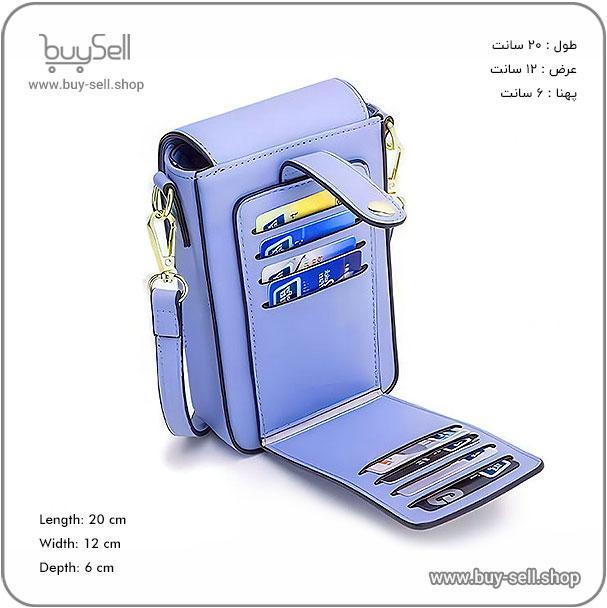
Product purchase offer: Leather pattern
In the competitive world of e-commerce, every detail of your product presentation counts. While traditional image formats like JPEG and PNG are composed of a fixed grid of colored pixels, SVG, or Scalable Vector Graphics, operates on a completely different principle. SVG is a vector-based format, meaning the image is defined by mathematical equations that describe points, lines, curves, and shapes. This fundamental difference is what makes SVG so powerful for online sales. Instead of becoming blurry or pixelated when enlarged, an SVG scales perfectly to any size, from a tiny favicon to a massive billboard display, without any loss of quality. For a leather goods store, this ensures that the intricate stitching on a wallet or the subtle texture of a handbag remains razor-sharp, whether a customer is viewing it on a smartphone or a 4K monitor.
The primary advantage of SVG for web sales is its unwavering visual fidelity. In a physical store, a customer can pick up a leather item, feel its weight, and appreciate its craftsmanship firsthand. Online, the image must carry this entire burden. When a potential buyer zooms in to examine the grain of full-grain leather or the precision of a buckle's engraving on a PNG image, they are often met with a blurry, pixelated mess. This loss of detail can sow doubt about the product's quality. An SVG image, however, remains crisp and clear at any magnification level, allowing customers to inspect your products with confidence. This builds trust and more accurately conveys the premium nature of your leather goods. Furthermore, SVG is ideal for maintaining brand consistency. Your logo, icons, and other graphical elements will look perfect on every device, reinforcing a professional and high-quality brand image.
Website speed is a critical factor in conversion rates. Slow-loading pages lead to higher bounce rates and lost sales. SVGs are typically much smaller in file size than their raster counterparts (JPEG, PNG), especially for graphics that involve logos, icons, and simple illustrations. A smaller file size means faster loading times, contributing to a smoother, more enjoyable user experience that encourages customers to stay and browse. Moreover, because SVGs are defined by code (specifically, XML), they are incredibly flexible. You can style and animate them directly with CSS and JavaScript, creating engaging interactive elements without needing multiple heavy image files. From an SEO perspective, the text within an SVG is actual, readable text, not just a picture of text. This means search engines can index keywords within your graphics, such as your brand name in a logo, potentially giving you a slight edge in search rankings.
Integrating SVG into your leather goods e-commerce site can elevate the shopping experience in several concrete ways. The most impactful use is for product customization interfaces. If you offer personalized items, such as monogrammed belts or bags, SVG allows you to create a real-time preview. Customers can type their initials and see them rendered perfectly on a vector representation of the product, with no image degradation. This interactive experience is far superior to a static image. Other key applications include:
While SVG is exceptional for graphics, illustrations, and logos, it is not a one-size-fits-all replacement for photographs. High-detail photographic images of your leather products in use are still best served by modern, optimized formats like WebP or AVIF, which offer excellent compression for complex scenes. SVG truly shines for graphical elements that require scaling and interactivity. When using SVG, it's also important to optimize the code itself by removing unnecessary metadata and comments to keep file sizes minimal. For security, ensure that any user-generated content processed through SVGs is properly sanitized to prevent malicious code injection. By strategically combining SVG for graphics with optimized raster images for photos, you create a website that is both visually stunning and technically efficient.
In conclusion, adopting SVG is not merely a technical decision; it is a strategic business decision for any brand selling online, particularly in a quality-conscious sector like leather goods. It directly addresses key e-commerce challenges: building trust through superior visual clarity, enhancing user experience with faster load times and interactivity, and strengthening brand identity with consistent, scalable graphics. By leveraging the power of SVG, you provide customers with a richer, more informative, and trustworthy shopping journey. This attention to detail can be the difference between a browser and a buyer, ultimately translating into higher conversion rates and greater customer satisfaction. In the digital marketplace where perception is reality, SVG ensures your products are perceived in the best possible light.
In the specialized world of leather goods, ensuring that customers have consistent, high-quality, and accessible information is paramount for building trust and satisfaction. The Portable Document Format, or PDF, serves as a universal key to achieving this goal. Unlike web pages that can appear differently on various devices or word processor files that require specific software to open, a PDF is designed to look the same on any device, from a desktop computer to a smartphone. This universality is critical for brands selling leather products, such as handbags, jackets, or furniture, as it guarantees that care instructions, authenticity certificates, sizing guides, and product specifications are presented exactly as intended. By distributing information in PDF format, a leather goods business can provide a uniform customer experience, reinforcing brand professionalism and ensuring that vital information is never lost or distorted in translation.
The versatility of PDFs allows leather businesses to deploy them across the entire customer lifecycle. The most common and crucial applications include product care guides, detailed specification sheets, and authenticity documentation. A well-crafted PDF care guide empowers the customer to properly maintain their leather item, which directly impacts its longevity and appearance. This document can include step-by-step instructions for cleaning different types of leather (e.g., full-grain, suede, nubuck), recommended conditioning products, and storage tips. Specification sheets are another vital use case. They provide in-depth technical details that might clutter a product webpage, such as leather origin, tannery information, thread type, hardware composition, and precise dimensions. This level of transparency appeals to knowledgeable consumers and builds credibility. Finally, PDFs are ideal for certificates of authenticity, which are essential for high-end leather goods. These documents can include unique serial numbers, holograms, or QR codes that link back to the manufacturer's database, providing a tamper-proof method of verifying the product's genuineness.
Creating a PDF is straightforward, but creating an effective one requires strategic thought. The primary goal is clarity and usability. First, prioritize a clean, professional layout with high-resolution images of the leather product. Visuals are crucial for illustrating texture, color, and craftsmanship. Second, ensure the document is easily navigable. A clickable table of contents or bookmarks is invaluable for longer guides, allowing customers to jump directly to the section they need, such as "Cleaning Suede" or "Understanding Leather Grades." Third, and critically, optimize the file size. A PDF filled with high-resolution images can become very large, making it difficult to download on mobile networks or clogging up customer inboxes. Use compression tools to reduce file size without significantly compromising image quality. Finally, always make the PDFs accessible. This includes using legible font sizes, providing alt-text for images for visually impaired users, and ensuring the document's language is simple and direct.
While PDFs are powerful, certain missteps can undermine their effectiveness. A common error is creating a PDF that is essentially a printed brochure dumped into a digital file. This ignores the way people consume content on screens. Avoid long, unbroken blocks of text. Instead, use headings, subheadings, bullet points, and plenty of white space to improve readability. Another mistake is failing to keep documents updated. If you change a product's care instructions or specifications, you must update the corresponding PDF and ensure customers who purchased the product previously have access to the new version. Perhaps the most significant error is using PDFs as a substitute for basic web content. A PDF should complement your website, not replace it. Essential information like price, primary features, and shipping details should be directly on the product page. The PDF should serve as a downloadable, in-depth resource for customers who want to know more, not as a barrier to finding basic information.
Strategic placement of PDFs throughout the sales and post-purchase process enhances the overall customer experience. During the consideration phase, a prominent "Download Full Spec Sheet" link on the product page can be the deciding factor for a discerning buyer comparing different brands. After a purchase, automated emails should include links to the relevant care guide and authenticity certificate. This not only provides immediate value but also reduces customer service inquiries about basic maintenance. For luxury leather brands, a beautifully designed PDF certificate of authenticity can be included in the physical packaging, with a digital copy emailed for safekeeping. This multi-channel approach ensures that customers have permanent, easy access to the information they need, fostering long-term satisfaction and loyalty.
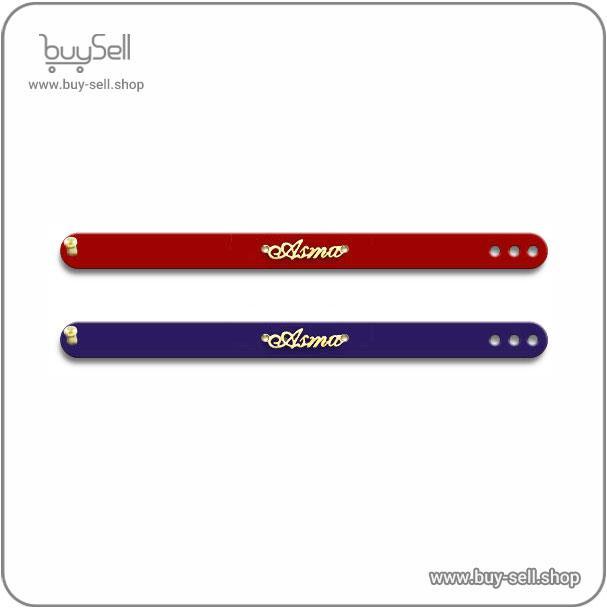
Product purchase offer:Bracelet and accessory pattern - buy sell
In conclusion, the humble PDF remains an indispensable tool for leather goods businesses aiming for universal customer access to information. Its ability to present complex, detailed, and brand-consistent content across all platforms makes it superior to many other formats. By thoughtfully creating and strategically deploying PDFs for care guides, specifications, and certificates, a company demonstrates a commitment to quality and customer education. This investment in clear communication pays dividends in the form of informed customers, well-maintained products, and a strengthened brand reputation for professionalism and trustworthiness in the competitive leather market.
When you are selling digital designs for laser cutting, the file format is not just a technical detail; it is the foundation of your customer's experience. A poor file choice can lead to failed cuts, material waste, and frustrated buyers, ultimately damaging your reputation as a seller. The ideal file format accurately communicates your design's intended cut lines, engravings, and proportions to the laser cutting software. This preparation step is arguably the most important in your workflow, as it bridges the gap between your creative vision and the customer's physical product. By standardizing on reliable, universally accepted formats, you ensure that your designs are accessible to the widest possible audience, regardless of the specific laser cutter or software they use. This professional approach minimizes support requests and builds trust, encouraging repeat business and positive reviews.
Before selecting a specific file type, it is essential to understand the fundamental difference between vector and raster graphics, as this distinction dictates what a laser cutter can do. Raster images, such as JPG or PNG files, are composed of a grid of tiny pixels. While excellent for photographs, they lose quality when scaled and do not contain precise path information for a laser to follow. Laser cutters require vector graphics to execute clean cuts. Vector files use mathematical equations to define points, lines, and curves. This means they can be scaled infinitely without any loss of quality, and the laser's controller can precisely follow these paths. For any design element that needs to be cut through or engraved with a precise outline, a vector format is non-negotiable. Think of it as the difference between giving someone a handwritten, pixelated map versus a set of exact GPS coordinates; the vector file provides the GPS-level accuracy needed for a perfect cut.
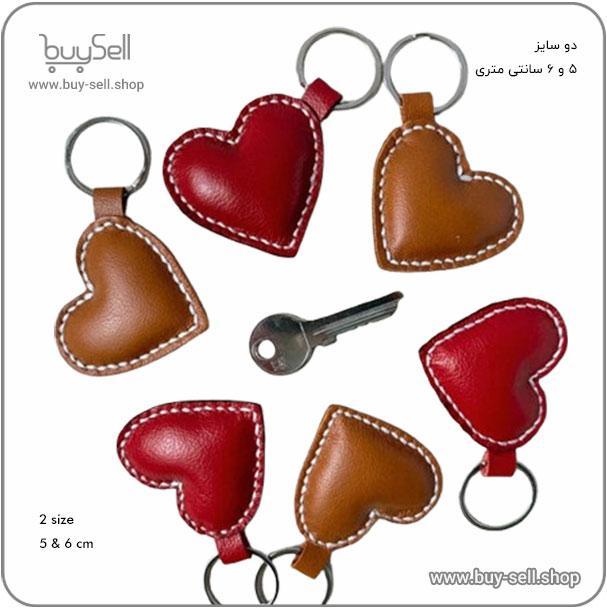
Product purchase offer: leather keychain patterns
The DXF file format, developed by Autodesk, is arguably the gold standard for the laser cutting industry. Its primary strength is its unparalleled compatibility. Nearly every laser cutting software and machine controller on the market, from proprietary systems to open-source options, can import and interpret DXF files correctly. This format excels at storing pure vector data—lines, arcs, circles, and curves—without embedding color profiles or raster images that can complicate the process. When you save your design as a DXF, you are providing a clean, efficient set of instructions for the laser. It is important to note that for a DXF to be effective, your design must be properly prepared. All lines should be converted to closed paths, and any unnecessary anchor points should be removed to ensure smooth cutting. Offering your designs in DFX format is a strong signal to potential customers that you understand the technical requirements of their equipment.
SVG is a web-friendly vector format that has gained significant traction in the laser cutting community, especially among designers who use browser-based or open-source software like Inkscape. A key advantage of SVG is its ability to retain layer information and color coding. This allows you to assign different colors to lines that should be cut, scored, or engraved, making the file intuitively easier for the end-user to configure. While compatibility is generally excellent, it can be slightly less universal than DXF, particularly with some older industrial laser software. However, the gap is closing rapidly. SVG files are typically smaller in size than DXF and are human-readable, as they are based on XML code. For sellers targeting a maker and hobbyist audience, who often use more contemporary software, providing an SVG file alongside a DXF is a thoughtful touch that adds significant value.
While not typically used as the primary cutting file, the PDF format plays a vital supporting role in your final package. A PDF acts as a universal visual guide for your customer. It should display a high-quality image of the final assembled project, key dimensions, and any important assembly notes. Crucially, if you save the PDF from a vector program like Adobe Illustrator or CorelDRAW, you can embed the vector paths within the file. This means that technically skilled users can often extract the vector data directly from the PDF if needed. However, you should never rely on a PDF as the only vector source, as the extraction process is not always reliable. The main purpose of the PDF is to provide context and instructions, complementing the raw DXF or SVG files that will do the actual work on the laser bed.
Before you upload your design bundle for sale, perform a final quality check to ensure a seamless customer experience. First, double-check that all paths in your vector files are closed and there are no stray points or open-ended lines. Use your software's built-in tools to simplify paths and merge overlapping lines. Second, test your files! If possible, run them through a free laser cutting software simulator or, ideally, on a machine to verify they cut as intended. Third, organize your download package clearly. A typical bundle should include the primary cutting file (DXF), an alternative format (SVG), a visual guide (PDF), and a simple text file with a copyright notice and any last-minute tips. This meticulous preparation demonstrates professionalism and significantly reduces the chance of post-purchase issues, solidifying your status as a reliable seller of high-quality laser cut designs.

 Saeede Bayat
May 04, 2025

 Buy Sell
Apr 20, 2025
 Saeede Bayat
Apr 28, 2025
 Saeede Bayat
Apr 23, 2025
 Buy Sell
Oct 25, 2025
Subscribe to the Buy Sell newsletter and enjoy its benefits.