


No products in the cart.

Learn the essential steps and tools needed to design high-quality, scalable vector files for professional graphic design and printing projects.
At the heart of digital imagery lies a fundamental distinction between two graphic types: raster and vector. Raster graphics, also known as bitmap images, are composed of a finite grid of tiny colored squares called pixels. Each pixel contains color information, and when viewed together at a standard size, these pixels form a complete image. Common file formats for raster graphics include JPEG, PNG, TIFF, and GIF. The critical limitation of raster images is their resolution dependency. Since they contain a fixed number of pixels, enlarging a raster image forces the software to interpolate the existing pixel data, resulting in a loss of clarity and the appearance of a blocky, blurry effect known as pixelation.
Vector graphics, in contrast, are constructed using mathematical equations and geometric primitives—points, lines, curves, and shapes. These elements are defined by paths, which have a start and end point, along with other points, curves, and angles. A vector file essentially contains instructions for the computer on how to draw the image based on these mathematical relationships. Because the image is generated from formulas rather than a fixed pixel grid, it is resolution-independent. This means you can scale a vector graphic to the size of a business card or a billboard without any loss of quality or detail. Common vector formats are SVG, AI, EPS, and PDF.
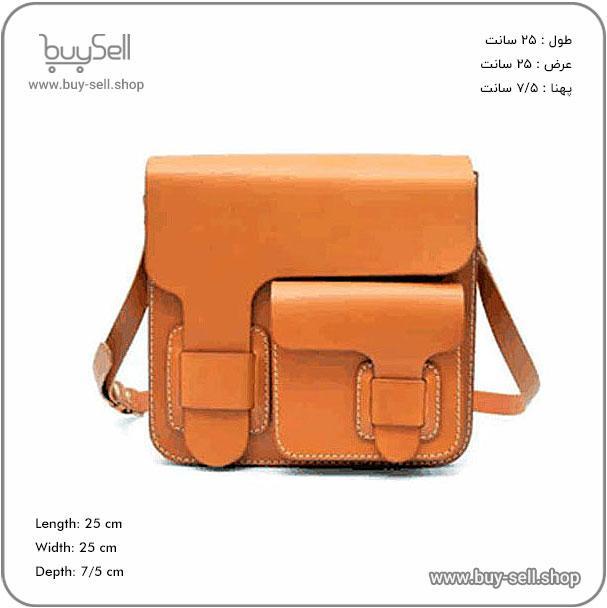
Product purchase offer: leather briefcase pattern
Raster graphics are the undeniable champion for representing complex, nuanced visual information. Their pixel-based nature makes them ideal for photographs and detailed digital paintings where color gradations and subtle textures are paramount. If you need to capture the exact look of a scene, a person, or a texture like leather grain, raster is the appropriate choice. The vast majority of images on the web (photographs, screenshots, memes) are raster files.
The key to working effectively with raster graphics is to always start with the highest possible resolution needed for your final output. For example, an image intended for a large-format print must be created at a much higher resolution (measured in PPI, or Pixels Per Inch) than one destined for a website. Downsizing a high-resolution image is simple and maintains quality, but upscaling a low-resolution image leads to irreversible degradation. Raster graphics are best suited for:
Vector graphics excel in applications requiring precision, scalability, and crisp lines. They are the standard for professional design work involving logos, typography, icons, and technical illustrations. A company logo, for instance, must be reproducible on everything from a tiny favicon in a browser tab to a massive banner at a trade show. Using a vector file ensures the logo remains sharp and professional at any size. This scalability also makes vectors ideal for infographics, maps, and architectural blueprints.
Another significant advantage of vectors is their editability. Each element within a vector graphic is an independent object that can be easily modified—you can change its color, shape, size, or position without affecting the rest of the image. This non-destructive editing workflow is crucial for iterative design processes. Furthermore, vector files are often smaller in file size than high-resolution raster images for simple graphics, though they can become complex and large if they contain thousands of anchor points. Use vector graphics for:
A frequent and costly mistake is using a raster image where a vector file is required. Submitting a low-resolution JPEG of a logo for printed merchandise will result in poor-quality products. Conversely, attempting to use a vector graphic to display a detailed photograph is impractical, as the vector format cannot efficiently capture the complexity of photographic detail. The file would be enormous and difficult to render.
Another common error is not understanding the difference between a native file and an exported file. A design created in Adobe Illustrator (a vector program) should be saved as its native `.ai` file for future editing. For final use, it is then exported into an appropriate format—such as a scalable SVG for web or a high-resolution PNG for digital use. Always archive your original, editable vector files. For raster work, the best practice is to preserve the original, high-resolution master file and export copies optimized for specific purposes, being mindful of the balance between image quality and file size, especially for web use.
In summary, the choice between vector and raster is not about which is better, but which is the right tool for the job. By understanding their core differences and appropriate applications, you can ensure your visual content is always presented with the highest quality and efficiency, whether it's a hyper-realistic product photo or a scalable brand identity.
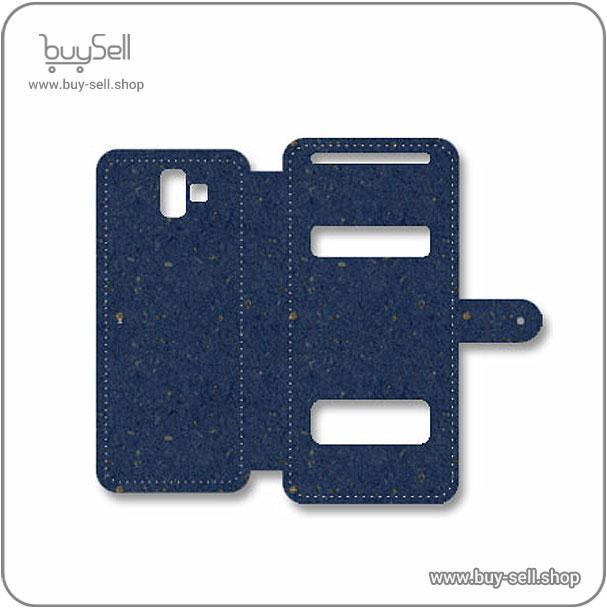
Product purchase offer: Leather Phone Case Pattern
In the context of leather crafting and design, the choice of digital tools is critical for creating precise, scalable, and professional results. Unlike raster images (like JPEGs or PNGs) which are made of pixels and lose quality when enlarged, vector graphics are composed of mathematical paths, points, and curves. This fundamental difference means a vector design can be scaled up to the size of a billboard or down to a keychain charm without any loss of clarity or sharpness. For leatherwork, this is indispensable. Whether you are designing intricate patterns for laser etching, creating a logo for branding, or plotting cuts for a CNC machine, vector files ensure that every line and curve remains crisp and accurate. This precision translates directly to the quality of the final physical product, making vector software a cornerstone of modern leather design.
Not all vector software is created equal, and the "right" choice depends heavily on your specific needs, skill level, and budget. A professional leatherworker has different requirements than a hobbyist. To make an informed decision, you should evaluate the following key factors:
Here is a brief look at some of the most prominent vector graphics applications available today, highlighting their pros and cons from a leather designer's perspective.
Adobe Illustrator: As the industry benchmark, Illustrator offers an unparalleled depth of features, extensive plugins, and robust support. It is the go-to choice for professional design studios. However, its subscription cost and complexity can be barriers for beginners or small businesses.
Affinity Designer: This software has gained a strong reputation as a powerful and affordable alternative to Illustrator. It features a one-time purchase price, a user-friendly interface, and excellent performance. It handles complex vectors well and is highly capable for most leather design tasks, making it a fantastic value.
CorelDRAW: A long-standing competitor to Illustrator, CorelDRAW is known for its versatility and suite of tools, including features for page layout which can be useful for arranging multiple designs. It is popular in sign-making and manufacturing, which aligns well with the technical aspects of leather production.
Inkscape: This is the leading open-source and free vector graphics editor. While it may lack the polished interface of its commercial counterparts, Inkscape is incredibly powerful. It supports a wide range of file formats and has a dedicated community. For hobbyists or those just starting out, it represents zero-risk entry into the world of vector design.
The best way to select the right software is to take a hands-on approach. Most paid software offers a free trial period. Download trials for two or three of the top contenders, such as Adobe Illustrator and Affinity Designer. Then, attempt to complete a real-world project relevant to your leatherwork. Try to redraw a simple logo, create a complex tooling pattern, or prepare a file for your cutter. Pay attention to how intuitive the tools feel, how long it takes to perform common tasks, and whether the software has any frustrating limitations. For free software like Inkscape, you can dive right in without any financial commitment. This practical testing will reveal which program's workflow aligns best with your thinking and creative process. Remember, the most expensive software is not automatically the best for you; the goal is to find the tool that makes you most efficient and creative in your leather craft.
Unlike raster images, which are composed of a fixed grid of colored pixels, vector graphics are built upon mathematical formulas. The core building block of any vector image is the path. A path is defined by a series of points, known as anchor points or nodes, connected by segments. These segments can be straight lines or curves, with the curvature controlled by handles attached to the anchor points. This mathematical foundation is what grants vector graphics their most significant advantage: infinite scalability. Because the image is recalculated from its mathematical data each time it is resized, it can be scaled up to the size of a billboard or down to the size of a postage stamp without any loss of quality, remaining perfectly sharp and clear. There is no pixelation because there are no pixels.
Paths themselves are the skeleton of a vector graphic. To give them visual form, two primary attributes are applied: the stroke and the fill. The stroke is the outline of a path. It can be customized with a specific color, weight (thickness), and style (e.g., solid, dashed, or dotted). The fill is the color, gradient, or pattern applied to the area enclosed by a path. The sophistication of vector shapes largely comes from the use of Bézier curves. These curves, named after French engineer Pierre Bézier, allow for the creation of incredibly smooth and precise curves. By manipulating the handles of an anchor point, a designer can control the direction and depth of the curve, enabling the creation of everything from simple circles to complex, organic illustrations.
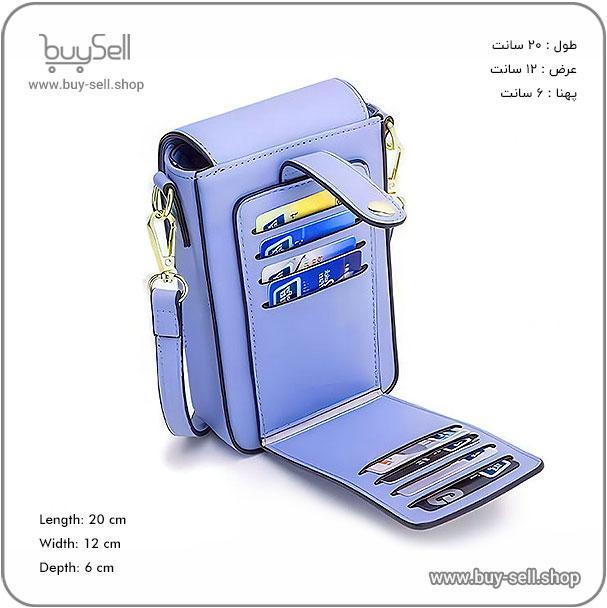
Product purchase offer: leather bag pattern
A vector illustration is typically composed of multiple independent objects, each with its own paths, strokes, and fills. This object-oriented approach is a fundamental principle that facilitates a non-destructive workflow. Each object can be selected, moved, transformed (scaled, rotated, skewed), and edited individually without affecting other objects in the design. Furthermore, properties like color and stroke weight can be modified at any time. This flexibility is paramount for professional design, as it allows for endless experimentation and easy revisions. Mistakes are easily corrected, and elements can be rearranged with minimal effort, making the creative process much more efficient compared to destructive pixel editing.
The principles of vector graphics make them uniquely suited for specific applications where scalability and precision are critical. Their most common uses include:
Understanding these core principles—mathematical paths, strokes and fills, and an object-based workflow—is essential for anyone looking to create professional, versatile, and high-quality digital graphics. Mastery of these fundamentals unlocks the full potential of vector-based software.
```
Before embarking on any leather craft project, assembling a core set of tools is crucial for achieving professional results. This foundation is built on implements for cutting, punching, and assembling. The essential toolkit begins with a sharp, reliable utility knife or a dedicated round knife for cleanly cutting leather hides into pattern pieces. A self-healing cutting mat protects your work surface. For creating holes for stitching or rivets, a diamond-point awl and a set of drive punches in various sizes are indispensable. Marking and measuring are equally important, requiring a metal ruler, a compass for drawing consistent curves, and a wing divider for scribing parallel lines to guide your stitches. Finally, no toolkit is complete without the basic implements for joining leather: heavy-duty needles, strong waxed thread, and a sturdy mallet for driving punches and setting hardware. Mastering these fundamental tools is the first step toward proficient leatherworking.
Leather is a unique material that can be permanently shaped when wet, a property known as "casing." The technique of wet-forming involves dampening the leather to a specific moisture content, which allows the collagen fibers to become pliable. The leather is then stretched and pressed over a form or last until it dries, retaining the new shape. This is essential for creating three-dimensional items like holsters, sheaths, and molded pouches. Another critical technique is skiving, which involves carefully shaving away layers of the leather's flesh side to reduce its thickness. Skiving is used to create seamless overlaps in seams, to make edges less bulky, and to allow the leather to bend more easily. Achieving a smooth, consistent bevel on the edge of a leather piece is another fundamental skill that enhances both the aesthetics and durability of the finished product.
The application of color and protective coatings transforms a functional leather item into a finished work of art. Dyeing can be accomplished with various products, including spirit-based dyes that penetrate deeply and water-based dyes that sit more on the surface. The technique involves applying the dye evenly with daubers or sponges, often requiring multiple thin coats to achieve a rich, uniform color. After dyeing, the leather must be finished to protect it from moisture, dirt, and UV damage. This typically involves applying a finisher like resolene or acrylic cove to seal the surface. A crucial step before finishing is burnishing the edges. This process involves rubbing the raw leather edges with a burnishing tool or a wooden slicker, often with the aid of a gum tragacanth or water, to compress the fibers and create a smooth, polished edge that is both attractive and resistant to fraying.
Beyond basic construction, several techniques allow for significant personalization and artistic expression. Tooling, or carving, is a classic method where dampened leather is impressed with metal stamps to create intricate patterns and images. This requires a specialized set of modeling tools and stamping implements. Another popular decorative technique is stitching, which can be purely functional or highly decorative. Using different types of thread and stitch patterns, such as the saddle stitch, can create a strong and visually appealing seam. Embossing is a technique for creating raised designs on the leather surface, either through heat and pressure with specialized machines or by hand using tools. For adding color in a more controlled, artistic way, painting with high-quality leather paints allows for detailed illustrations and patterns that are fixed and durable.
The primary distinction between preparing a vector file for print versus the web lies in the fundamental requirements of each medium. Print media, such as business cards, brochures, and banners, demands high resolution and color accuracy to ensure sharp, crisp results on physical materials. This involves using a color mode called CMYK (Cyan, Magenta, Yellow, Key/Black), which is the standard for the four-color printing process. The resolution for print is measured in DPI (Dots Per Inch), and a minimum of 300 DPI is the industry standard to avoid pixelation. In contrast, web graphics are displayed on screens, which use a different color mode called RGB (Red, Green, Blue) and a much lower resolution, typically 72 PPI (Pixels Per Inch). This lower resolution ensures faster loading times for websites and applications without sacrificing on-screen clarity.
Exporting for print requires meticulous attention to detail to avoid costly errors. Before you begin, always confirm the specific requirements with your print service provider, as specifications can vary. The most reliable and preferred format for sending final artwork to a professional printer is PDF (Portable Document Format). When saving your PDF, select a preset like "PDF/X-1a" or "PDF/X-4," which are standards designed for robust and predictable print output. These presets automatically embed all fonts, maintain high-resolution images, and use the correct CMYK color space. It is also crucial to include bleed marks. Bleed is an extra area (usually 3mm or 0.125 inches) beyond the final trim edge of your document. This ensures that when the printed material is cut to size, there are no unprinted edges if the cut is slightly off. Additionally, always convert all text to outlines (paths) before exporting. This step embeds the font information directly into the file, preventing any font substitution issues if the printer does not have the specific font you used installed on their system.
For web use, the goals shift from ultra-high fidelity to optimal performance and compatibility. The star of the web is the SVG (Scalable Vector Graphics) format. Unlike raster images (like JPG or PNG) that can become blurry when scaled, an SVG file remains perfectly sharp at any size because it is rendered from mathematical equations. This makes it ideal for logos, icons, and illustrations that need to look great on high-resolution retina displays and various screen sizes. When exporting as an SVG, it is important to simplify your paths by reducing unnecessary anchor points, which decreases the file size for faster website loading. For elements that require raster formats, such as complex illustrations with gradients or photographic content, PNG is the best choice when you need transparency (a transparent background), while JPG is suitable for images without transparency. Always strike a balance between image quality and file size; use compression tools to minimize the KB or MB size without noticeably degrading the visual quality, a practice crucial for Search Engine Optimization (SEO) as page load speed is a ranking factor.
Understanding the purpose of each file format is key to a successful export. For editable master files, always retain a copy in your native application's format, such as .AI for Adobe Illustrator or .CDR for CorelDRAW. These files preserve all layers, effects, and editable text. As discussed, PDF is the workhorse for print. For the web, SVG is the premier vector format. However, you may also need raster versions. PNG files support transparency and lossless compression, meaning no data is lost when the file is saved, making them perfect for logos on colored backgrounds. JPG files use lossy compression, which reduces file size by permanently deleting some image data; they are best for complex images where small quality loss is acceptable. Finally, EPS (Encapsulated PostScript) is a legacy vector format that is still sometimes requested for print, but PDF has largely superseded it for most modern applications.
follow us in telegram & instagram
To ensure a flawless export every time, develop a pre-flight checklist. First, review your document dimensions and confirm they match the final output size. For print, double-check the bleed and trim settings. Second, scrutinize your color mode: is it CMYK for print or RGB for web? Third, ensure all linked images are embedded within the document to prevent missing file errors. Fourth, if exporting for print, convert all text to outlines. Fifth, proofread your artwork meticulously; once exported, making text changes becomes difficult. For web exports, validate your SVG code using online validators to ensure cross-browser compatibility. By systematically following these steps, you can confidently export professional-grade vector files that are perfectly suited for their intended destination, whether it's a glossy magazine page or a dynamic website header.

 Saeede Bayat
May 04, 2025
 Saeede Bayat
Apr 28, 2025

 Buy Sell
Apr 20, 2025
 Saeede Bayat
Apr 23, 2025
 Buy Sell
Oct 25, 2025
Subscribe to the Buy Sell newsletter and enjoy its benefits.